Less manual intake
Patients enter their own details, so your team spends less time on phone transcription and callbacks to confirm addresses.
One scan, and the collection request is already inside your operational workflow.
Most home collection requests still arrive by phone. Somebody answers, writes down an address, repeats a phone number back, and hopes the handwriting survives the shift. That intake step is where a large share of collection problems begin.
QR-based booking replaces it. Your laboratory gets a dedicated QR code; the patient scans it, enters their own details and submits the request — and the request is created against your laboratory in the Phlebify workflow.
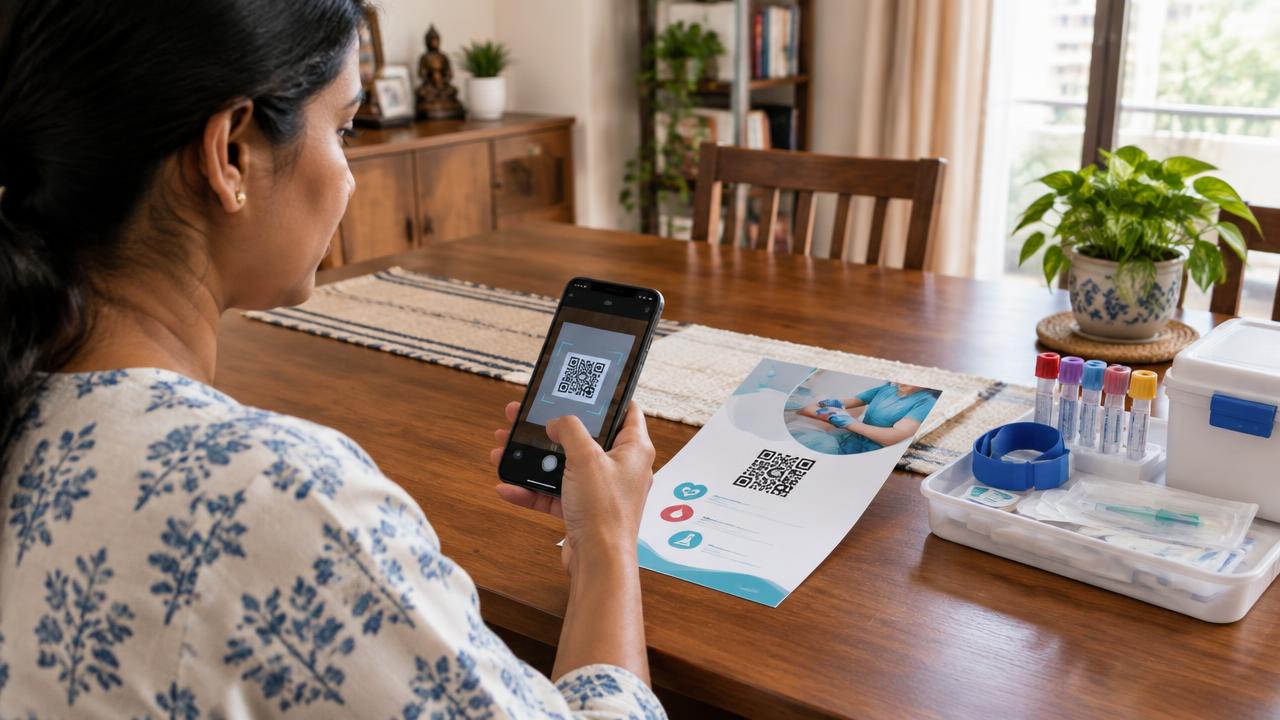
A QR code that belongs to a specific laboratory. When it is scanned, it opens a short digital request form for home sample collection. The patient fills in the details required to perform a visit, submits, and the request enters the collection workflow attached to that lab.
There is no app to install for the patient and no new system for your reception team to learn. The code can sit on printed material you already produce.
Each step below is a state on the request. The laboratory and the operations team see the same sequence.
The patient scans the lab's QR code from a flyer, report, poster or tabletop display using a normal phone camera.
They enter the details needed for a home visit — name, contact number, address and the requirement — and submit the request themselves.
A collection request is created against the laboratory that owns the QR code, visible to both the lab and the Phlebify operations team.
A verified phlebotomist is assigned through [AI Dispatch](/technology/ai-dispatch), the visit is completed, and the sample moves to your laboratory with the handover recorded.
The code works anywhere a patient already looks at something from your laboratory:
Because the code is lab-specific, requests raised through it stay attributed to your laboratory.
Patients enter their own details, so your team spends less time on phone transcription and callbacks to confirm addresses.
Contact number and address come from the person who knows them, which reduces failed visits caused by wrong details.
A patient can raise a request whenever they read your material, not only when someone is available to answer the phone.
The code lives on your laboratory's material; Phlebify runs the collection workflow behind it.
QR requests follow the same assignment, [tracking](/technology/collection-tracking) and handover path as requests raised by your team.
No patient app and no new hardware — a phone camera and a printed code are enough.
The public page you are reading documents the capability. Individual booking links, order pages and patient records are private application areas — they are not published, not linked from the public site and not made available to search engines.
No. The code opens a web-based request form in the phone's browser. Nothing needs to be installed.
Yes. A laboratory receives its own code, so requests raised through it are created against that laboratory in the workflow.
A collection request is created and becomes visible to the laboratory and the operations team, after which a verified phlebotomist is assigned for the visit.
Yes. QR booking is an additional intake channel. Requests raised by your team follow exactly the same assignment, tracking and handover workflow.
No. Individual booking and order pages are private application areas and are excluded from indexing. Only public information pages like this one are indexable.
Tell us about your collection volumes and cities — we'll walk you through how the network would support your operations.